You go looking for the APN settings on your Samsung phone the same way a friend's stock Android phone has them, and either the menu isn't where you expect, or you find it and every field is greyed out and uneditable. Samsung's One UI handles this menu differently enough from stock Android that the usual instructions don't quite apply.
Quick answer
On Samsung, APN settings live under Settings → Connections → Mobile Networks → Access Point Names — a different path than stock Android. If the fields are greyed out, it's almost always because the phone is carrier-locked or carrier-financed, which disables manual APN editing by design.
Why This Happens
Samsung's One UI groups network settings under a broader "Connections" menu rather than nesting APNs directly under Network & Internet the way stock Android does — the setting exists, it's just filed a level differently, which is the most common reason people assume it's missing entirely when it isn't.
The greyed-out version is a separate, more deliberate issue: Samsung phones sold directly through a carrier (rather than unlocked) are frequently configured by that carrier to lock the APN editor, specifically to prevent misconfiguration via support calls or to enforce the carrier's exact network profile. This isn't a bug — it's intentional, and it only lifts if the phone is unlocked or the carrier restriction is removed.
A third, less common cause is having the wrong SIM slot selected on a dual-SIM Samsung — the APN menu is scoped per-SIM, and selecting the inactive slot can make the menu appear empty or non-functional even though it works fine for the correct SIM.
1
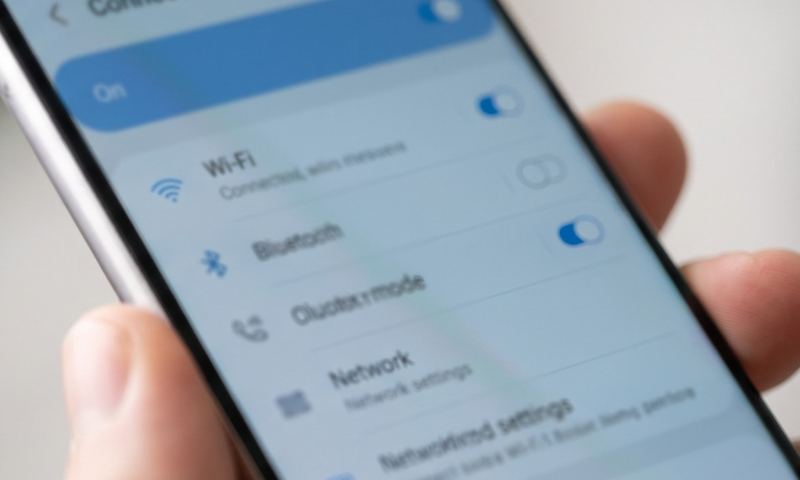
Go to Settings → Connections → Mobile Networks → Access Point Names. This is the correct path on nearly all Samsung One UI versions, distinct from stock Android's menu location.
2
If you have a dual-SIM Samsung, confirm the correct SIM is selected at the top of the Mobile Networks screen before assuming the APN menu itself is broken.
3
If the fields are visible but greyed out, this almost always means the phone is carrier-locked. Check whether your phone was purchased directly through a carrier (rather than unlocked) — carrier-sold Samsung devices commonly disable manual APN editing by design.
4
Confirm your phone's lock status: Settings → About Phone → Status Information (or dial *#06# to check IMEI details), or contact your carrier directly to ask whether APN editing has been intentionally restricted on your line.
5
If the phone is carrier-locked and you've since switched to a different SIM, ask the original carrier about unlocking it — most carriers will do this for free once a financing contract is paid off or an eligibility period has passed.
6
If editing is unlocked but values still won't stick, create a new APN entry instead of editing the existing one, then explicitly save it and set it as preferred.
7
As a last resort, a full reset can clear a stuck carrier-lock flag that's lingering incorrectly even after the phone should be unlocked — but confirm you're genuinely eligible to unlock first, since a reset alone won't bypass a legitimate active lock.
If It's Genuinely Locked
If your carrier confirms the phone is intentionally locked and you're not yet eligible to unlock it, there's no settings workaround — the APN editor is disabled at the firmware level until the lock is lifted. If you're troubleshooting a secondhand or imported Samsung and aren't sure of its exact lock and reset status, unlockandreset.com covers model-specific unlock and reset procedures that go beyond what's in Samsung's own settings menu.
Still stuck?
Find your exact carrier's APN settings
Search 1,100+ verified carrier configurations across 210 countries.
Why can't I find Access Point Names at all on my Samsung?
Check Settings → Connections → Mobile Networks first — it's a different path than stock Android, and people searching for the stock Android location often conclude the menu is missing when it's simply filed under Connections instead.
Does a Samsung being unlocked guarantee APN editing works?
Usually, yes — an unlocked Samsung (bought outright or carrier-unlocked) typically allows full manual APN editing. A greyed-out menu on an unlocked phone is unusual and worth a factory reset to rule out a stuck configuration flag.
Is this different on Samsung tablets?
The menu path is the same on Samsung tablets with cellular data, though carrier locking is less common on tablets sold unlocked from the start.
Will my carrier unlock the APN editor if I ask?
Many will, especially if your device is paid off or past its contract's eligibility window — it's worth a direct request even if the phone shows as locked.