Everything was working fine. Then your phone updated, restarted, and suddenly mobile data or MMS stopped working — and when you check, your carefully configured APN entry is just gone, replaced with a blank or generic default. This is a known side effect of how Android updates handle network configuration, not something you broke.
Quick answer
Android system updates occasionally reset the network configuration database, wiping manually entered APNs along with it. Re-enter your carrier's correct APN values as a new entry, set it as preferred, and save it using the menu's explicit Save option rather than the back button.
Why This Happens
Android stores APN profiles in a system database that major version updates sometimes rebuild from scratch rather than migrate — particularly updates that touch the telephony or carrier-configuration stack. When that happens, manually added APNs are the first thing to get dropped, since the system falls back to whatever generic or carrier-default profile ships with the update.
This is more common after a major Android version jump than a small security patch, and it's especially common on phones that weren't originally sold by your current carrier — imported, unlocked, or secondhand devices rely more heavily on the manually entered APN since they don't ship with your specific carrier's preset baked in.
The practical result is the same either way: the update didn't just change settings, it reset the specific record your data and MMS depend on, and nothing will work correctly again until that record is re-created.
1
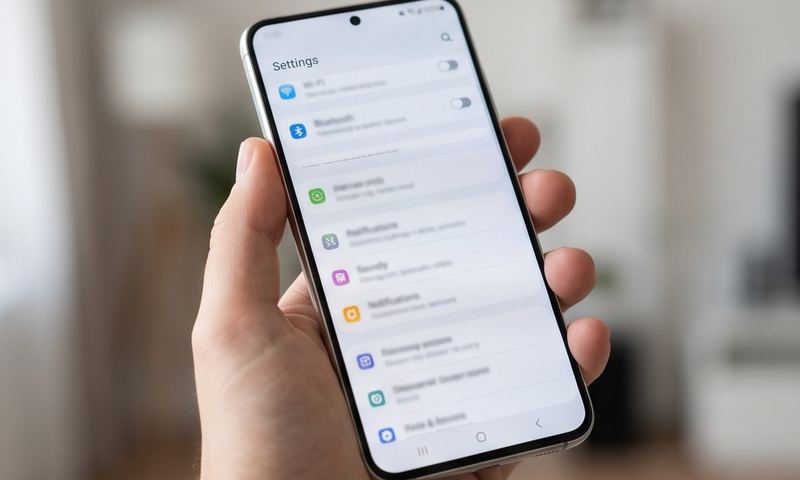
Confirm the APN is actually missing rather than just inactive: Settings → Network & Internet → SIMs → [your SIM] → Access Point Names, and check whether your carrier's entry is listed at all.
2
If it's gone, create a new APN entry from scratch rather than hoping it reappears — tap the + icon and re-enter your carrier's exact values.
3
Look up your specific carrier's current APN values rather than relying on memory — carriers occasionally change these, and an update is a common moment for people to discover the old values were already outdated.
4
Set the newly created APN as preferred (tap its radio button) — a restored APN that isn't selected as active won't fix anything.
5
Save explicitly via the three-dot menu, not the back button, then restart the phone to make sure the new profile takes effect cleanly.
6
Check for a carrier settings update as well as the Android system update — these are separate, and a pending carrier settings update can reintroduce the same symptom even after you've manually fixed it once.
7
If this keeps happening after every update, consider writing down your carrier's exact APN values somewhere outside the phone (notes app on another device, email to yourself) so re-entry takes 30 seconds instead of a search each time.
Still stuck?
Find your exact carrier's APN settings
Search 1,100+ verified carrier configurations across 210 countries.
It's possible, especially for major Android version updates rather than small patches. Keeping a copy of your correct APN values saved outside the phone makes it a quick fix if it recurs.
Does this affect iPhone too?
Less commonly — iPhone typically re-provisions carrier settings automatically after an iOS update rather than wiping them, though a carrier settings update is still worth checking if something breaks post-update.
Can I back up my APN settings beforehand?
Android doesn't offer a simple built-in APN backup, which is why the most reliable approach is just noting the correct values somewhere safe before a major update.
Is this the carrier's fault or Android's?
It's generally an Android telephony-stack behavior during major updates rather than something carriers do intentionally — though a carrier settings update soon after can also legitimately change the correct values.