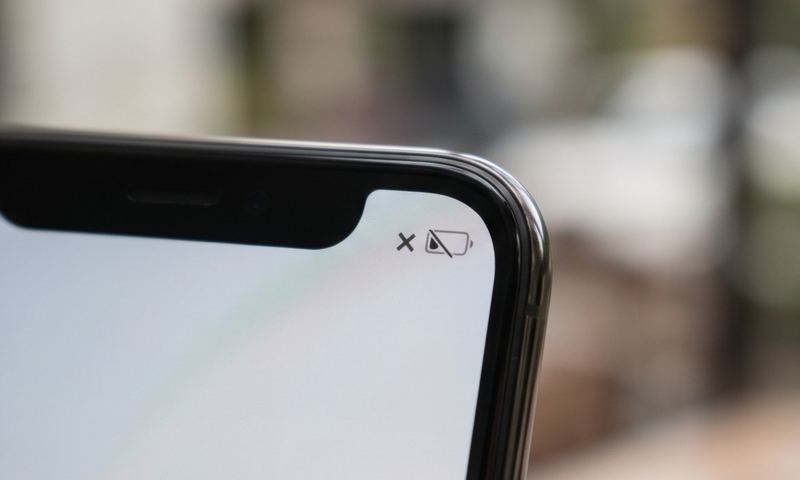
The install finished, the app or carrier says "activation complete," and you still have no signal. eSIMs remove the physical troubleshooting steps everyone's used to — no card to reseat, no tray to check — which means the usual advice doesn't apply, and the real causes sit somewhere else entirely.
Quick answer
This is usually either the eSIM profile not being set as the default/active line for cellular data, a restart being required to complete activation (which many carrier apps don't make clear), or — for travel eSIMs specifically — the activation window not having started yet, since many are time-limited from first network connection rather than from install.
Why This Happens
Installing an eSIM profile and activating it are two separate steps, and it's easy to assume the install itself means you're done. After installation, your phone needs that specific eSIM line explicitly set as the one handling cellular data (particularly on phones carrying two active lines) — otherwise the profile sits installed but inactive.
A significant number of eSIM activation issues are resolved by nothing more than a restart. Phones frequently don't fully re-initialize the cellular radio against a freshly installed profile until they reboot, which is why "it still says no signal right after I installed it" is often simply a timing issue rather than a real failure.
For travel and data-only eSIMs specifically, activation is frequently tied to the first time the SIM connects to a network in the destination country — not the moment you installed the profile. If you installed the eSIM before traveling and tested it at home, it can correctly show no signal simply because the validity window hasn't started yet.
1
Restart your phone. This single step resolves a large share of "installed but no signal" eSIM issues by forcing the cellular radio to fully re-initialize against the new profile.
2
Confirm the eSIM is set as the active line for cellular data: Settings → Cellular (iPhone) or Settings → Network & Internet → SIMs (Android) — on dual-SIM phones, it's easy for the eSIM to be installed but not selected as the one actually handling data.
3
If this is a travel/destination eSIM, confirm whether its validity window starts at install or at first network connection — many are designed to activate only once you're physically in the destination country, so testing before departure may correctly show no signal.
4
Check that Data Roaming is enabled for the eSIM line specifically if you're using it to roam internationally — this is a per-line setting on dual-SIM phones, not a global one.
5
Toggle Airplane Mode on for 15 seconds, then off, to force a fresh registration attempt against the new profile.
6
Confirm the eSIM QR code or activation link hasn't already been used — most eSIM profiles are single-use and will fail silently (or show as already installed on a different device) if scanned more than once.
7
If none of the above works, delete the eSIM profile and reinstall it from a fresh activation code — a corrupted install is uncommon but does happen, and most providers can reissue a new QR code or activation link if the first attempt had an issue.
Still stuck?
Find your exact carrier's APN settings
Search 1,100+ verified carrier configurations across 210 countries.
Yes, typically — the install step itself usually requires an internet connection (Wi-Fi works fine), even though the eSIM provides cellular service afterward.
Can I install an eSIM before I travel and activate it later?
Many travel eSIMs support this — check your specific provider's terms, since some start the validity countdown at install while others wait for first network connection in the destination country.
Why does my eSIM show as installed in Settings but still says no service?
This is the core symptom this guide covers — it usually means the line isn't set as active for data, the phone hasn't restarted since install, or (for travel eSIMs) the activation window hasn't started yet.
Can I transfer an eSIM to a new phone?
Some carriers support eSIM transfer between devices, usually through their app rather than by scanning the original QR code again, since that code is typically single-use.